
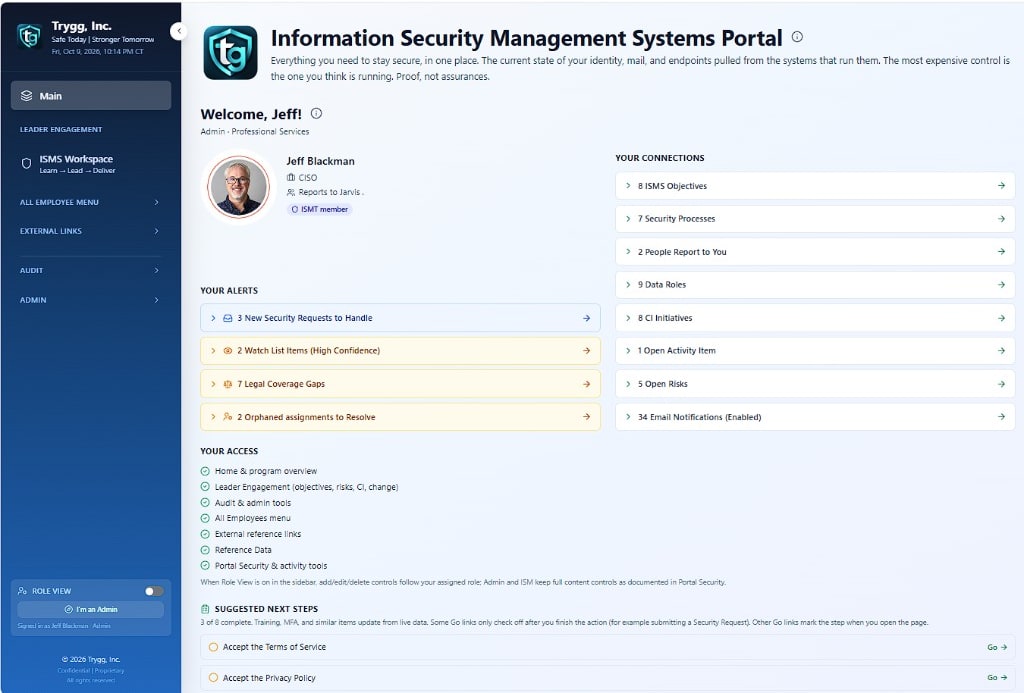
The Portal

Trygg portal home, with the welcome view for a signed-in leader.

The Trygg portal gives leadership a live view of the company's ISO/IEC 27001 program and the security controls behind it.

Instead of relying on spreadsheets, documents, screenshots, and evidence assembled before an audit, Trygg brings the management system into one working environment. Leadership can see what is in scope, what is working, where gaps exist, what needs attention, and who is accountable.

The Dashboard and Security Insights provide the view across the organization. Identity, email, endpoints, backups, risks, objectives, reviews, training, and audit readiness come together in one place. Where possible, security results are measured using data from the systems actually performing and enforcing those functions.

From there, leadership can move directly into the details behind any result. Every in scope control has a named leader, a defined company process, and evidence supporting its status, including when system generated evidence was last refreshed.

What you see at the top of the organization connects directly to the work underneath it. If something is wrong, you can see the gap, see who owns it, understand what needs to happen, and verify when it has been corrected.
Who it is for

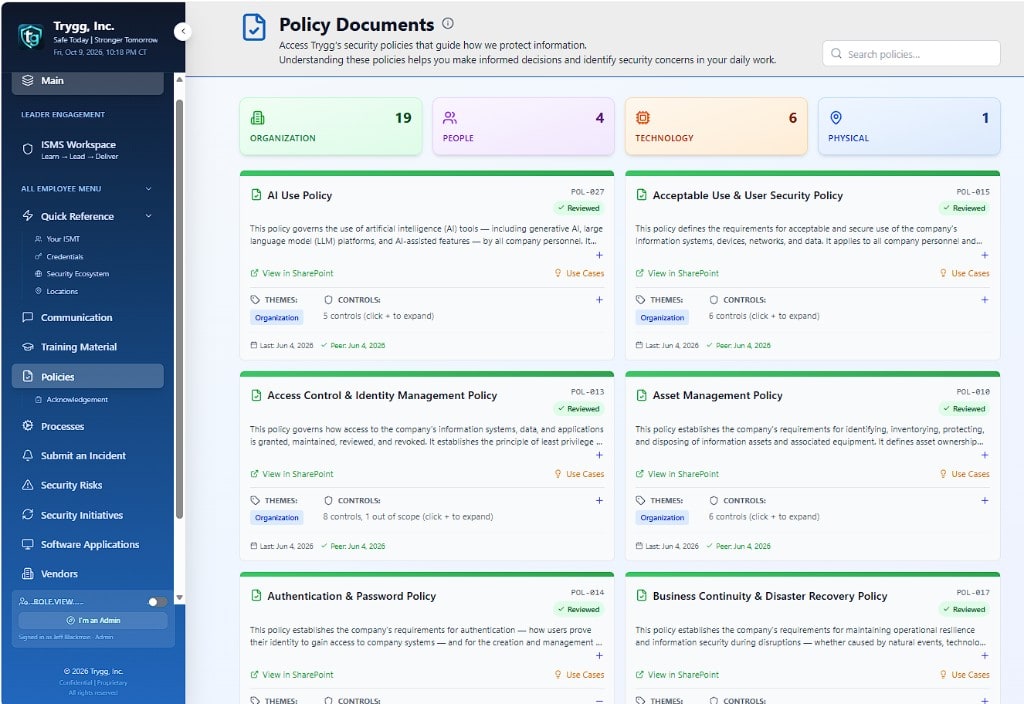
Policy documents in the Trygg portal.

Trygg is built for the people accountable for the result and the people responsible for making it happen.

For a CEO, COO, or executive team, it answers the questions that matter most: Are we doing what we say we are doing? Where are we exposed? What needs attention? Who owns it? And can we prove it?

Those questions matter well beyond certification. They surface during customer security reviews, cyber insurance renewals, board discussions, due diligence, security incidents, and conversations with auditors.

Control leaders use Trygg to manage the processes and evidence they own. The program lead uses it to manage scope, risks, objectives, reviews, corrective actions, and the audit path. An external auditor can work from those same pages and follow the evidence supporting each control.

Everyone is working from the same information rather than maintaining separate versions of the truth for management, operations, and the auditor.

Each organization operates in its own dedicated portal. The demonstration environment is demo.itrygg.com, while each customer receives its own address, such as acme.itrygg.com.

What value does it provide?

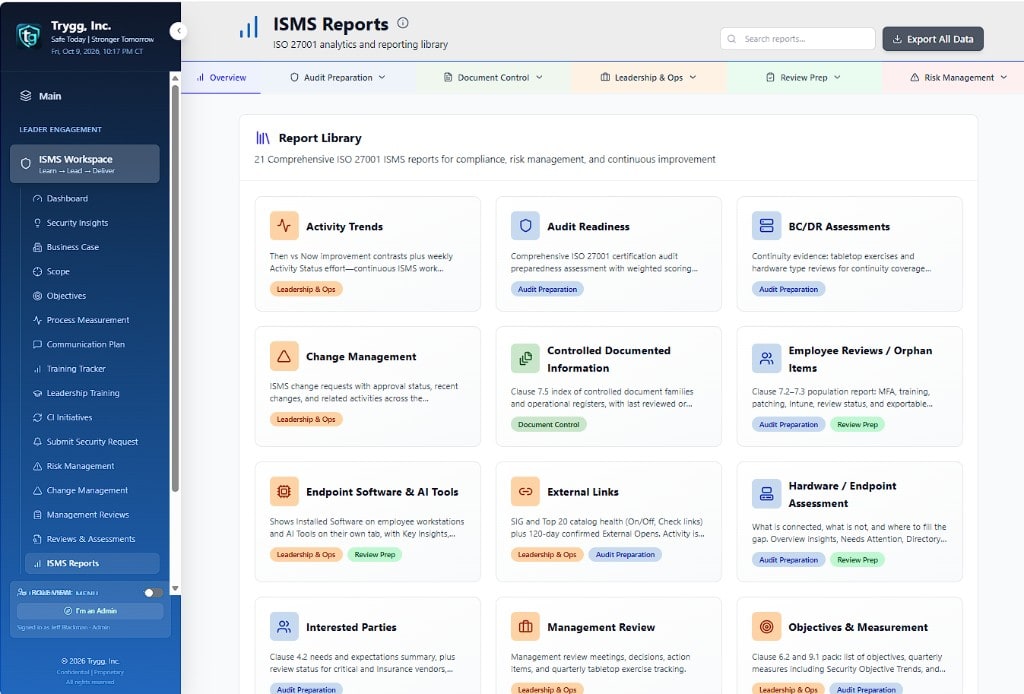
ISMS Reports library in the Trygg portal.

The most expensive security gap may be the one leadership believes is already covered.

A policy can say MFA is required. A procedure can say backups are monitored. A spreadsheet can say an endpoint control is implemented. None of those, by themselves, prove the control is working today.

Trygg connects those expectations to operational evidence.

It reads data from the systems responsible for functions such as identity, email, endpoints, and backups and places those results alongside the date the evidence was last refreshed. When reality no longer matches expectation, the gap becomes visible while there is still time to correct it.

That creates two kinds of visibility.

The horizontal view shows leadership the condition of the overall program. Four Annex A themes, 93 controls, and Clauses 4 through 10 come together with risks, objectives, management reviews, training, and audit readiness. Anything excluded from scope is explicitly identified. Leadership and the auditor see the same underlying information.

The vertical view answers the next question: What is behind that result?

Open a control and you can see who owns it, what the company expects, how the work is performed, when it is performed, and the evidence demonstrating that it happened. You can move from an executive dashboard to the process and evidence behind an individual control without leaving the management system.

This approach has already been used through a certification audit. In August 2026, a client using Trygg as its live ISO/IEC 27001:2022 management and evidence environment was recommended for certification by an accredited certification body. The audit resulted in only three minor nonconformities, which were corrected quickly.

Trygg gives leadership something more useful than a statement that the company is compliant.

It gives leadership the ability to see whether the security program is actually working.

What we do compared with others...

Each row is something the Trygg portal does. The mark shows whether the other product does that same thing.

We compared Trygg with five other programs. The goal is a portal that fits how your organization already works. We partner with you to close the gaps.

Yes means the product does it. No means it does not. Last reviewed September 16, 2026. Trygg does not certify anyone.
What it doesTryggISMS.onlineRisk3sixtyVantaDrataHyperproof
1 Only Trygg
1.01 Policy to Portal AnalysisYesNoNoNoNoNo
1.02 SoA out-of-scope impact both waysYesNoNoNoNoNo
1.03 Surveillance visit packYesNoNoNoNoNo
1.04 All-employee menu + Leader EngagementYesNoNoNoNoNo
1.05 Orphaned Assignments (keep ownership current)YesNoNoNoNoNo
1.06 Critical Vendor Questionnaires (in-portal send / accept)YesNoNoNoNoNo
1.07 40+ automations that use data from inside and outside the portal to keep the information security management system healthyYesNoNoNoNoNo
2 Also done by others
2.01 Live Scope + SoA (out-of-scope impact)YesYesYesYesYesYes
2.02 SWOT / issuesYesYesYesNoNoNo
2.03 Interested partiesYesYesYesNoNoNo
2.04 Legal and regulatory registerYesYesYesNoNoYes
2.05 ISMS roles and leadership workspaceYesYesYesYesYesYes
2.06 Policy library + review cycleYesYesYesYesYesYes
2.07 Policy acknowledgementYesYesYesYesYesYes
2.08 Risk register, treatment, POA&MYesYesYesYesYesYes
2.09 Vulnerability / CVE / KEV watchYesNoNoYesYesNo
2.10 ISMS objectives and measurementYesYesYesNoNoNo
2.11 Change managementYesYesYesNoNoNo
2.12 Communication planYesYesNoNoNoNo
2.13 Competence / employee reviewsYesYesNoNoNoNo
2.14 Training and awarenessYesYesYesYesYesYes
2.15 Employee Quick Start + knowledge checkYesNoNoNoNoNo
2.16 Controlled documented informationYesYesYesYesYesYes
2.17 Hardware / endpoint censusYesNoNoYesYesNo
2.18 Software application assessmentsYesNoNoYesYesNo
2.19 Processes, diagrams, procedures, WIsYesYesYesNoNoNo
2.20 Activity Checklist + Activity StatusYesYesYesYesYesYes
2.21 Pre-Audit / control assessmentYesYesYesYesYesYes
2.22 Supplier and client assessmentsYesYesYesYesYesYes
2.23 Security Insights (Microsoft-stack health)YesNoYesYesYesYes
2.24 Internal audit + third-party audit prep / click-pathYesYesYesYesYesYes
2.25 Management reviewYesYesYesNoNoNo
2.26 BC/DR tabletopYesYesYesNoNoNo
2.27 Incidents, requests, exceptions, CIYesYesYesNoNoYes
2.28 Policy and process template packYesYesYesYesYesYes